
BPM and key
Find the tempo and key of a song
To play along with a song, transpose it or match it with another, you need its tempo (in BPM) and its key. The NAUPLY Stems app estimates them on your phone after the separation, and would rather show nothing than a doubtful value.
Coming soon to Google Play
The app is in closed testing on Google Play. Leave your address: we'll email you the day it's publicly released.
Get notified at launchNAUPLY Stems is also a VST3 / AU plugin for computers, with more stems.
Discover Stems for desktop →3 steps with the app
Separate the song
"Import a song", then "Separate". The analysis then runs on the instrumental, more reliable than the full song (vocals blur the key).
Read the result
In the mixer, a line shows for example "92 BPM · A minor". If the tempo or the key isn't certain, it isn't shown.
Use it
Change the key or speed: the line shows the values you actually hear. In Sing mode, a metronome locks to the detected tempo.
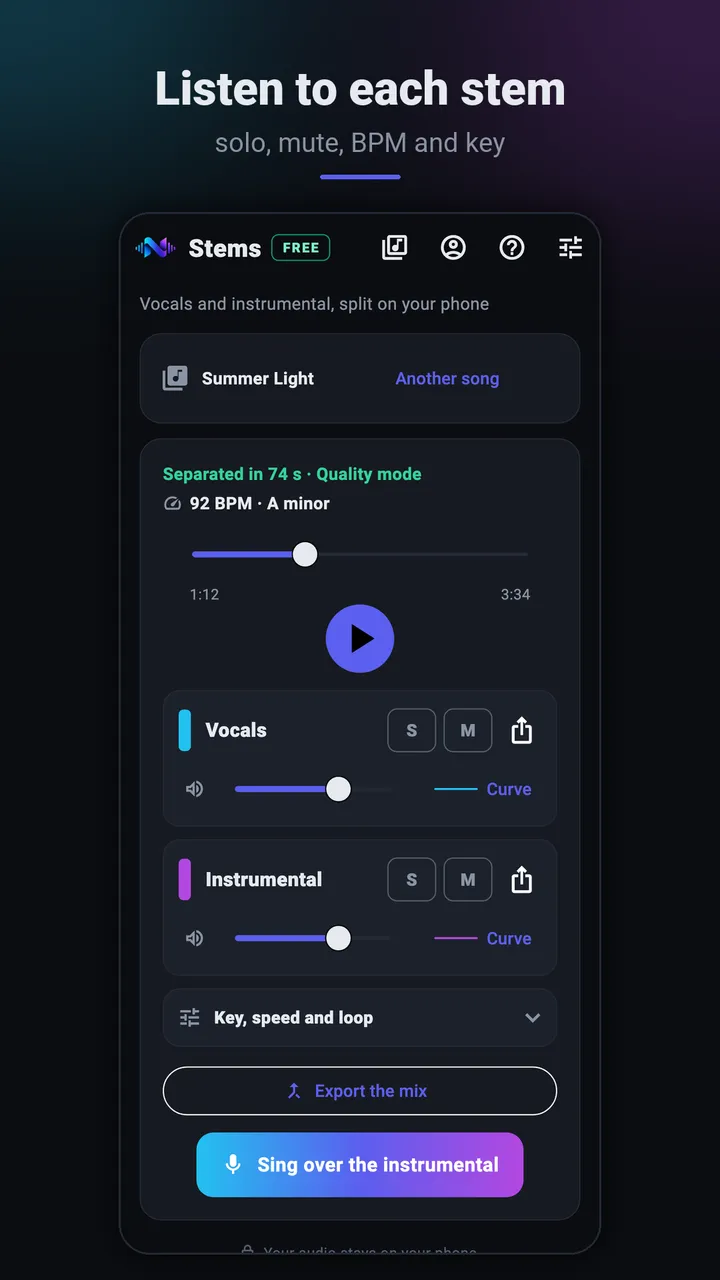
Mixer: vocals and instrumental, solo, mute, BPM and key 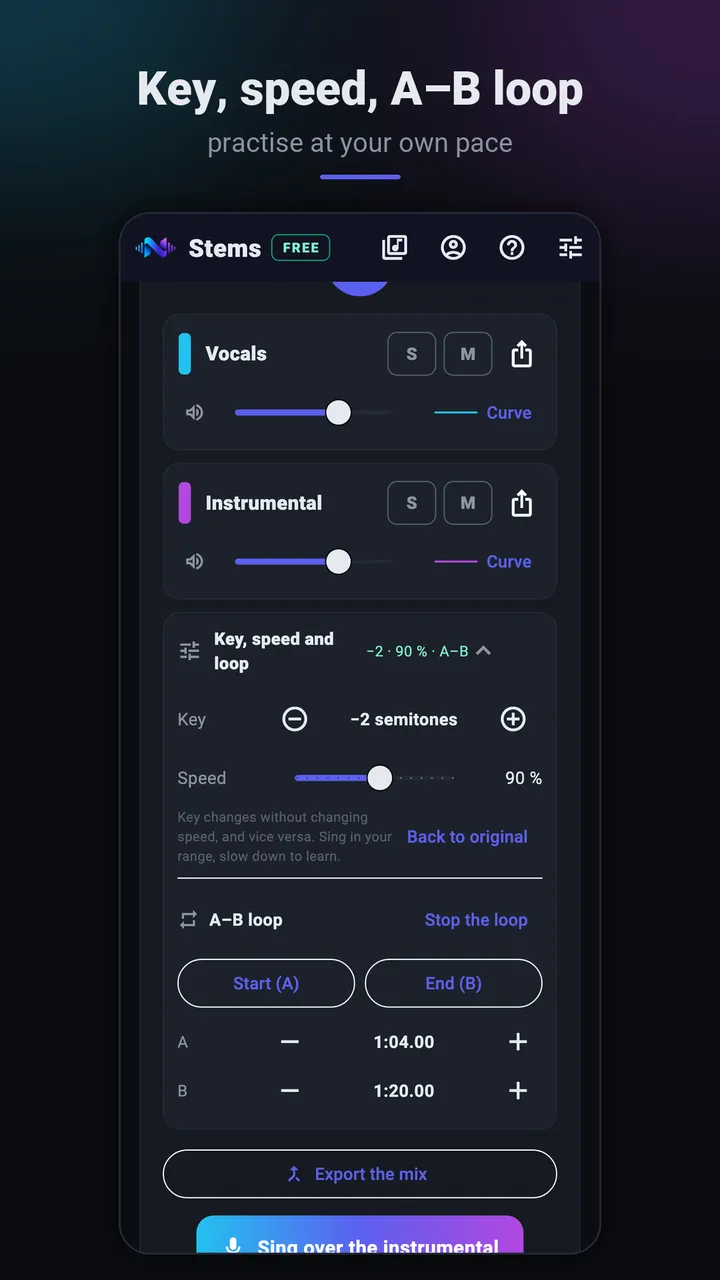
Key, speed and A–B loop
Listen to a real separation
14 seconds of an original NAUPLY track. Switch stems while it plays: the position is kept.
Split into 2 stems with the same model as the app's Quality mode (htdemucs), computed on a computer for this demo: the result on a phone may differ slightly. Same loudness for each stem; MP3 128 kbps. Song and stems: NAUPLY's own material, no third-party song.
What the app shows, and when it stays silent
The tempo is shown only if the pulse is clear and the same across the whole song; the key only if it stands out clearly from its neighbour (often the relative major or minor) and stays the same from start to finish. A live song, played rubato or without a steady pulse, will therefore have no BPM shown.
The estimate follows a separation: it counts towards the 10 free separations of the month. Soon, tempo and key will also be shown for each song in "My songs".
Checking by ear
Tempo: count the beats for 15 seconds and multiply by 4. If the result feels twice too slow or too fast, it's often the same pulse counted in half-time or double-time.
Key: hum the note the chorus "rests" on, then find it on an instrument. A sad or dark song is often in a minor key, but not always: check against the final chord.
On the phone, nothing uploaded
Separation is computed by the phone's processor. Your audio, your files and their names are never uploaded: the internet is only used for your NAUPLY account and this month's separation counter. Without a connection, even in airplane mode, 2 separations a month remain possible; they are counted when you're back online.
Frequently asked questions
- Why is no BPM shown?
- The app only shows the tempo when it is steady and certain. For a live, rubato or drumless song, count by ear (see above).
- Does the displayed key follow my transposition?
- Yes: if you go up 2 semitones, the line shows the new key, and the BPM follows the chosen speed.
- Does the analysis count?
- It's part of the separation, which counts once. Reopening the song afterwards doesn't count again.
- What about desktop?
- NAUPLY Stems for desktop (plugin and standalone app) splits up to 10 stems; its Pro edition aligns the stems to your project's tempo.
- Is the app free?
- The free version only needs a NAUPLY account, no payment method: 10 separations a month, up to 15 minutes per song, no ads, valid for 6 months from activation (once per account). A cancelled or failed separation is given back; listening, mixing, exporting or reopening a song you already split doesn't count. The Premium and Pro editions of NAUPLY Stems, with the same licence as the desktop plugin, have no monthly limit.
Get the app
Coming soon to Google Play
The app is in closed testing on Google Play. Leave your address: we'll email you the day it's publicly released.
Get notified at launchNAUPLY Stems is also a VST3 / AU plugin for computers, with more stems.
Discover Stems for desktop →Read also
Other uses of the app
Updated