
Practise with a track
Practise along a song: slow down, loop, remove an instrument
To learn a part, you need to hear it slowly, repeat it in a loop and play in place of the original. On the phone, the NAUPLY Stems app removes the vocals, slows down without changing pitch and loops a passage. To remove only the drums or the bass, you currently need NAUPLY Stems for desktop.
Coming soon to Google Play
The app is in closed testing on Google Play. Leave your address: we'll email you the day it's publicly released.
Get notified at launchNAUPLY Stems is also a VST3 / AU plugin for computers, with more stems.
Discover Stems for desktop →3 steps with the app
Separate the song
"Import a song", then "Separate": you get the vocals and the instrumental, each with volume, solo and mute.
Slow down and loop
Speed from 50 to 125% without changing the key; set an A–B loop on the hard passage: it repeats without a click.
Tune up and play
Transpose by ±6 semitones to match your tuning or your range, then play along. Bring the speed back up step by step.
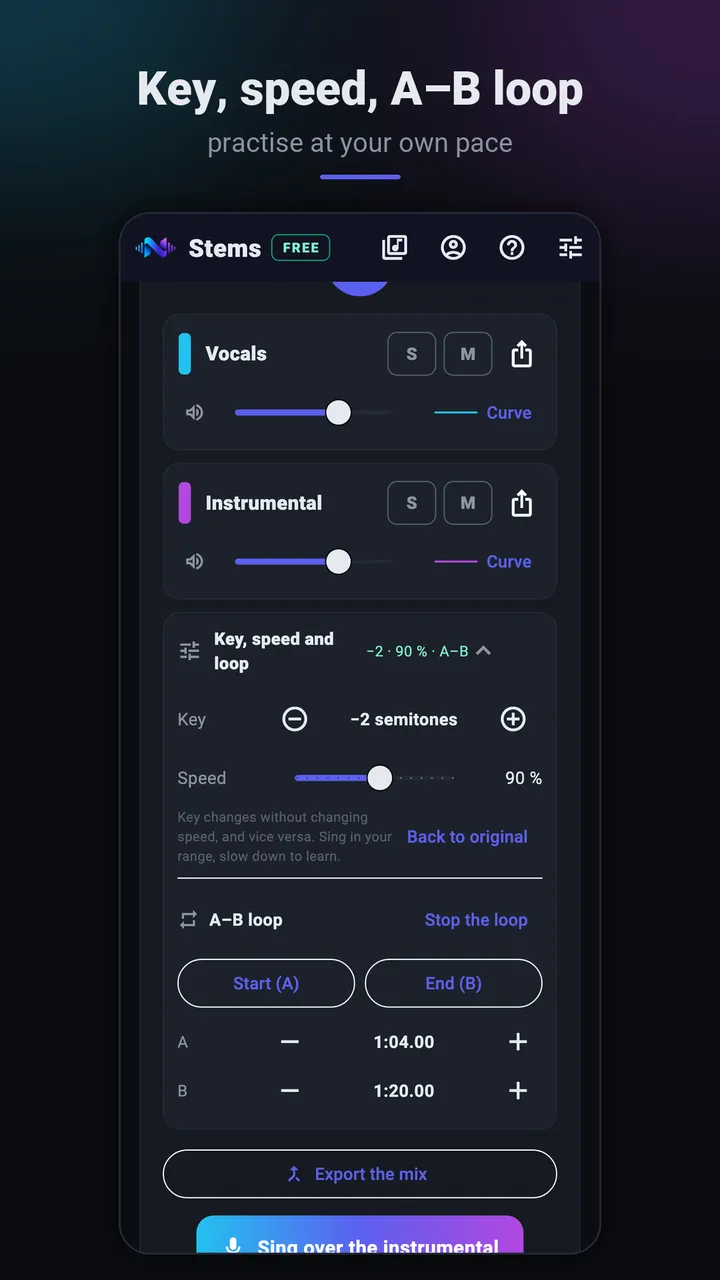
Key, speed and A–B loop 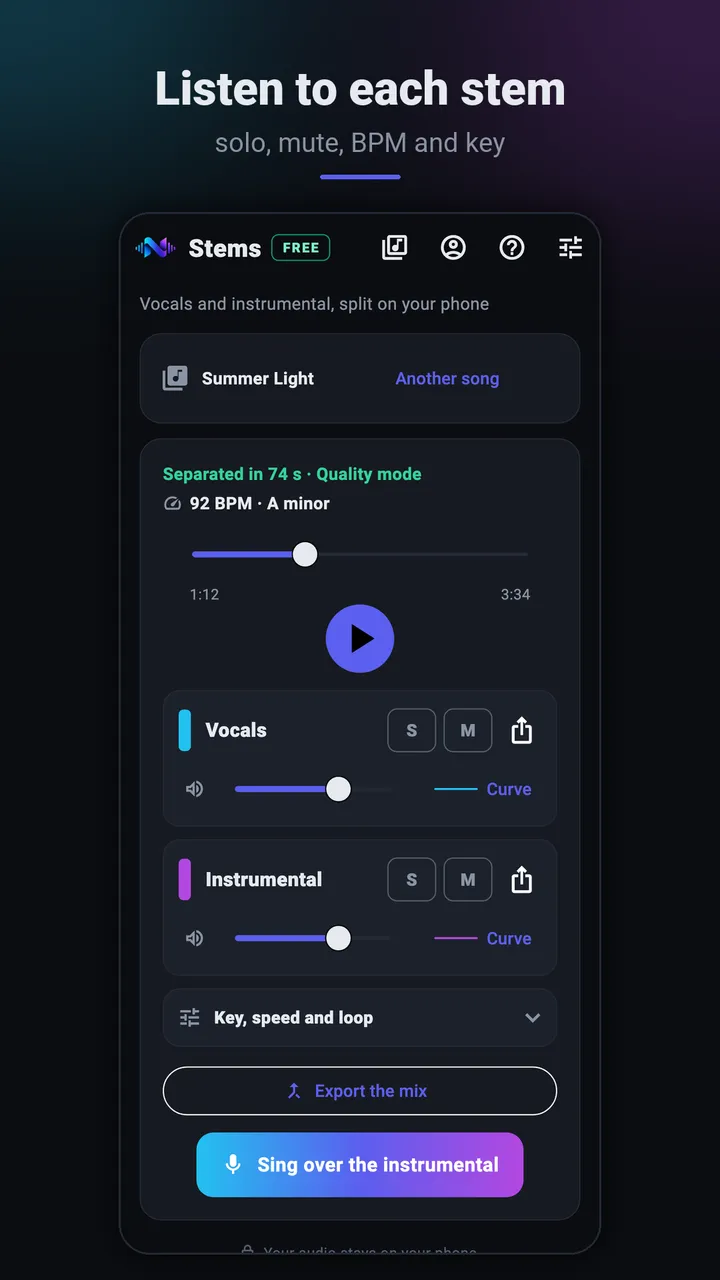
Mixer: vocals and instrumental, solo, mute, BPM and key
Listen to a real separation
14 seconds of an original NAUPLY track. Switch stems while it plays: the position is kept.
Split into 2 stems with the same model as the app's Quality mode (htdemucs), computed on a computer for this demo: the result on a phone may differ slightly. Same loudness for each stem; MP3 128 kbps. Song and stems: NAUPLY's own material, no third-party song.
What the phone does today
For singers it's complete: instrumental without vocals, key, speed, loop and Sing mode. For instrumentalists, speed and loop help to learn a part, but the app splits into two stems only: drums and bass stay in the instrumental.
More stems (vocals, drums, bass, other) for Premium and Pro are coming soon to the phone.
Removing the drums or the bass: on desktop
NAUPLY Stems for desktop (VST3 / AU plugin and standalone app) splits up to 6 stems in Premium and 10 in Pro, down to the drum elements: you mute your instrument and keep the rest. The free desktop version, like the app, is limited to vocals and instrumental.
A method that works
Start at 70% on a short loop until you can play it three times in a row without a mistake; move to 85%, then 100%. Then make the loop longer. Slowing down without changing pitch keeps you from learning a part in the wrong key.
Frequently asked questions
- Can I remove only the drums on the phone?
- Not yet: the app separates vocals and instrumental. More stems are coming soon for Premium and Pro; NAUPLY Stems for desktop already does it (Premium and Pro).
- Does slowing down change the pitch?
- No: speed (50 to 125%) and key (±6 semitones) are set independently.
- Does the A–B loop click at the joint?
- No, a very short fade avoids a click on every repeat.
- Is the app free?
- The free version only needs a NAUPLY account, no payment method: 10 separations a month, up to 15 minutes per song, no ads, valid for 6 months from activation (once per account). A cancelled or failed separation is given back; listening, mixing, exporting or reopening a song you already split doesn't count. The Premium and Pro editions of NAUPLY Stems, with the same licence as the desktop plugin, have no monthly limit.
- Which phones are supported?
- Android 8.0 or later, a 64-bit ARM processor and 4 GB of memory (6 GB recommended). Allow about 37 MB of phone storage per minute of music and per separated stem.
Get the app
Coming soon to Google Play
The app is in closed testing on Google Play. Leave your address: we'll email you the day it's publicly released.
Get notified at launchNAUPLY Stems is also a VST3 / AU plugin for computers, with more stems.
Discover Stems for desktop →Read also
Other uses of the app
Updated