
Karaoke on Android
Make a karaoke track with your phone
The NAUPLY Stems app turns a song on your phone into a karaoke version: the vocals are removed on the device, the key adapts to your voice, and Sing mode records you on top. The app doesn't display lyrics: keep them on another screen or on paper.
Coming soon to Google Play
The app is in closed testing on Google Play. Leave your address: we'll email you the day it's publicly released.
Get notified at launchNAUPLY Stems is also a VST3 / AU plugin for computers, with more stems.
Discover Stems for desktop →3 steps with the app
Separate the song
"Import a song", then "Separate". In Quality mode, the original vocals disappear more cleanly.
Adjust the key
In the mixer, lower or raise the key (±6 semitones) until you sing comfortably. Keep a little of the original voice as a guide if you like.
Sing
"Sing over the instrumental" opens Sing mode: with headphones, record up to 2 voices, aligned automatically, then export the sung mix or your voices alone.
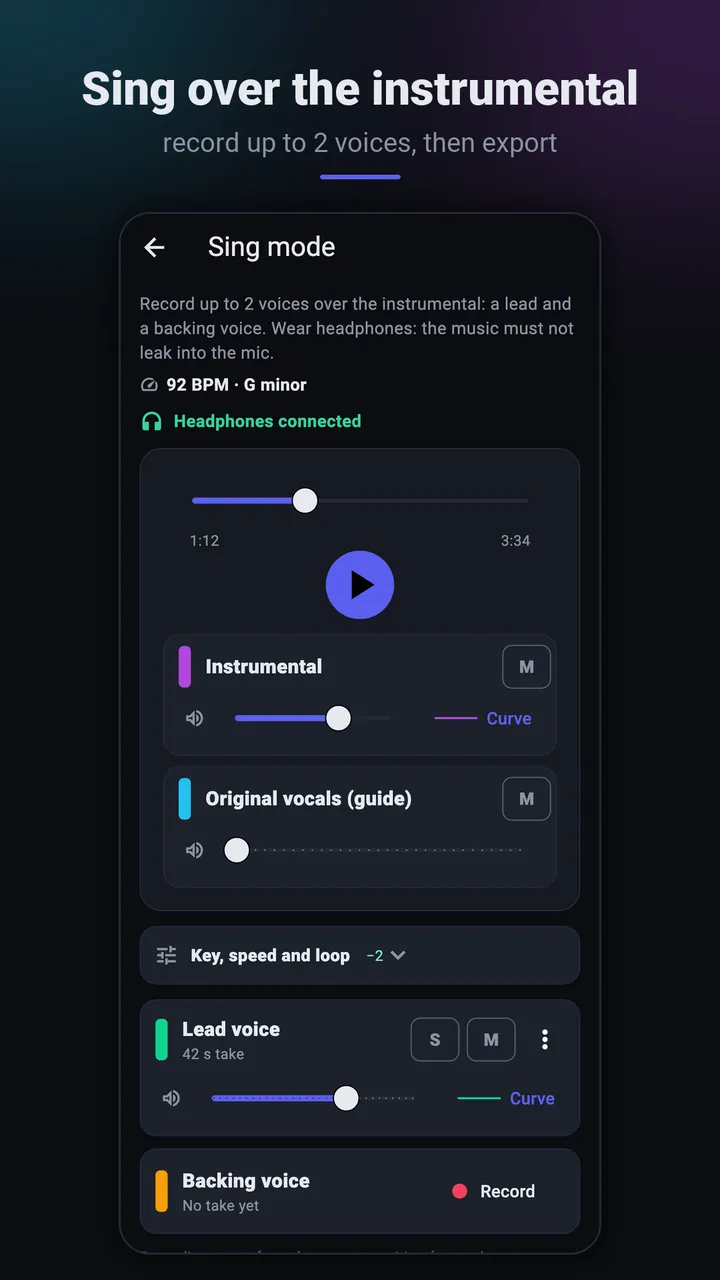
Sing mode: record your voice over the instrumental 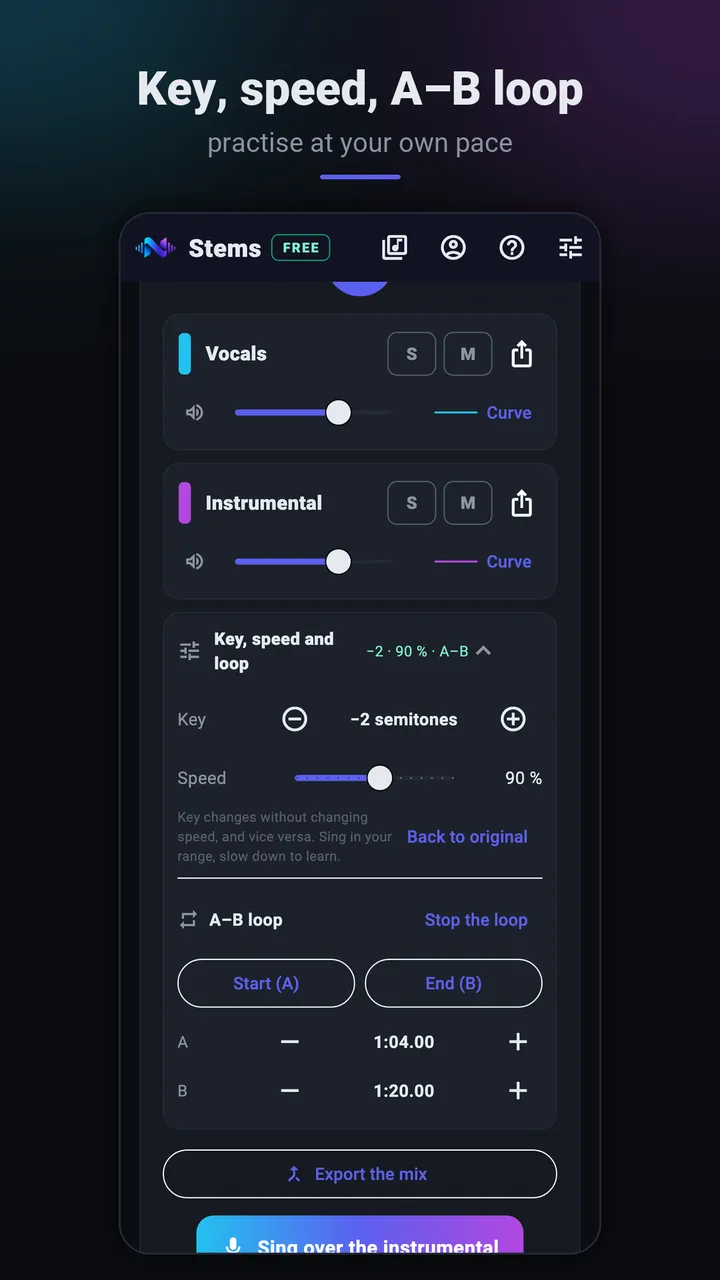
Key, speed and A–B loop
Listen to a real separation
14 seconds of an original NAUPLY track. Switch stems while it plays: the position is kept.
Split into 2 stems with the same model as the app's Quality mode (htdemucs), computed on a computer for this demo: the result on a phone may differ slightly. Same loudness for each stem; MP3 128 kbps. Song and stems: NAUPLY's own material, no third-party song.
A track ready for a party
To sing in front of others, export the instrumental (WAV or MP3) and play it on a speaker. Test it before the day: long passages without voice, an abrupt ending or a low volume are easier to fix in advance.
Sing mode works with headphones: that way the phone's microphone records only your voice, not the instrumental.
No connection, nothing uploaded
Separation is computed by the phone's processor. Your audio, your files and their names are never uploaded: the internet is only used for your NAUPLY account and this month's separation counter. Without a connection, even in airplane mode, 2 separations a month remain possible; they are counted when you're back online.
What about rights?
Singing karaoke with friends at home is private use. Playing a performance in a public venue or publishing it online falls under other rules (copyright and related rights): check with the venue or your country's collecting society.
Frequently asked questions
- Does the app display lyrics?
- No. It prepares the music (vocals removed, key, speed) and records your voice; lyrics need to be shown separately.
- Do I need headphones for Sing mode?
- Yes: with headphones, the microphone picks up your voice only. Without them, the instrumental would bleed into the recording.
- Can I slow down a hard passage?
- Yes: speed goes from 50 to 125% without changing the key, and the A–B loop repeats a passage without a click.
- Is the app free?
- The free version only needs a NAUPLY account, no payment method: 10 separations a month, up to 15 minutes per song, no ads, valid for 6 months from activation (once per account). A cancelled or failed separation is given back; listening, mixing, exporting or reopening a song you already split doesn't count. The Premium and Pro editions of NAUPLY Stems, with the same licence as the desktop plugin, have no monthly limit.
- Is my music sent over the internet?
- No. Everything happens on the phone, including recording your voice.
Get the app
Coming soon to Google Play
The app is in closed testing on Google Play. Leave your address: we'll email you the day it's publicly released.
Get notified at launchNAUPLY Stems is also a VST3 / AU plugin for computers, with more stems.
Discover Stems for desktop →Read also
Other uses of the app
Updated