NAUPLY

Mac and Windows · Free

NAUPLY

Hub

All your NAUPLY plugins in one place

Install NAUPLY Hub from day one: it finds the NAUPLY plugins on your computer, tells you which ones have an update, keeps your licenses and computers at hand and shows you what’s new. Free and optional: your plugins also work without it.

Download NAUPLY Hub for Mac

Version 1.4.2 · 4.8 MB · macOS 12 or later · Apple Silicon and Intel

Download NAUPLY Hub for Windows

Version 1.4.2 · 4.2 MB · Windows 10 or later, 64-bit

Windows may show “Windows protected your PC”: click “More info”, then “Run anyway”. The installer really does come from NAUPLY; its Windows signature is coming soon.

Free · no subscription

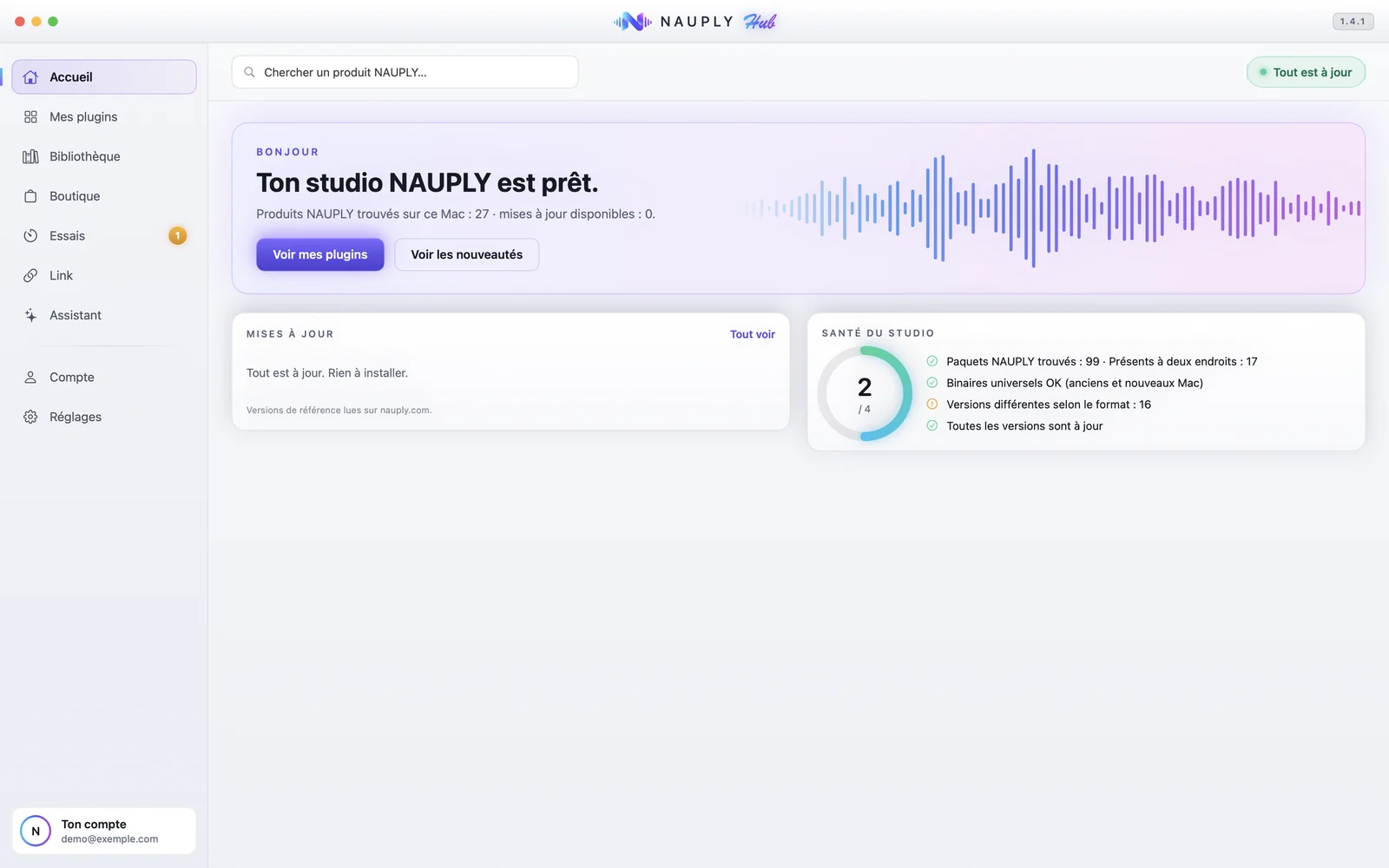
NAUPLY Hub screenshot: Home: updates, featured product, studio health

What NAUPLY Hub does

Your plugins at a glance

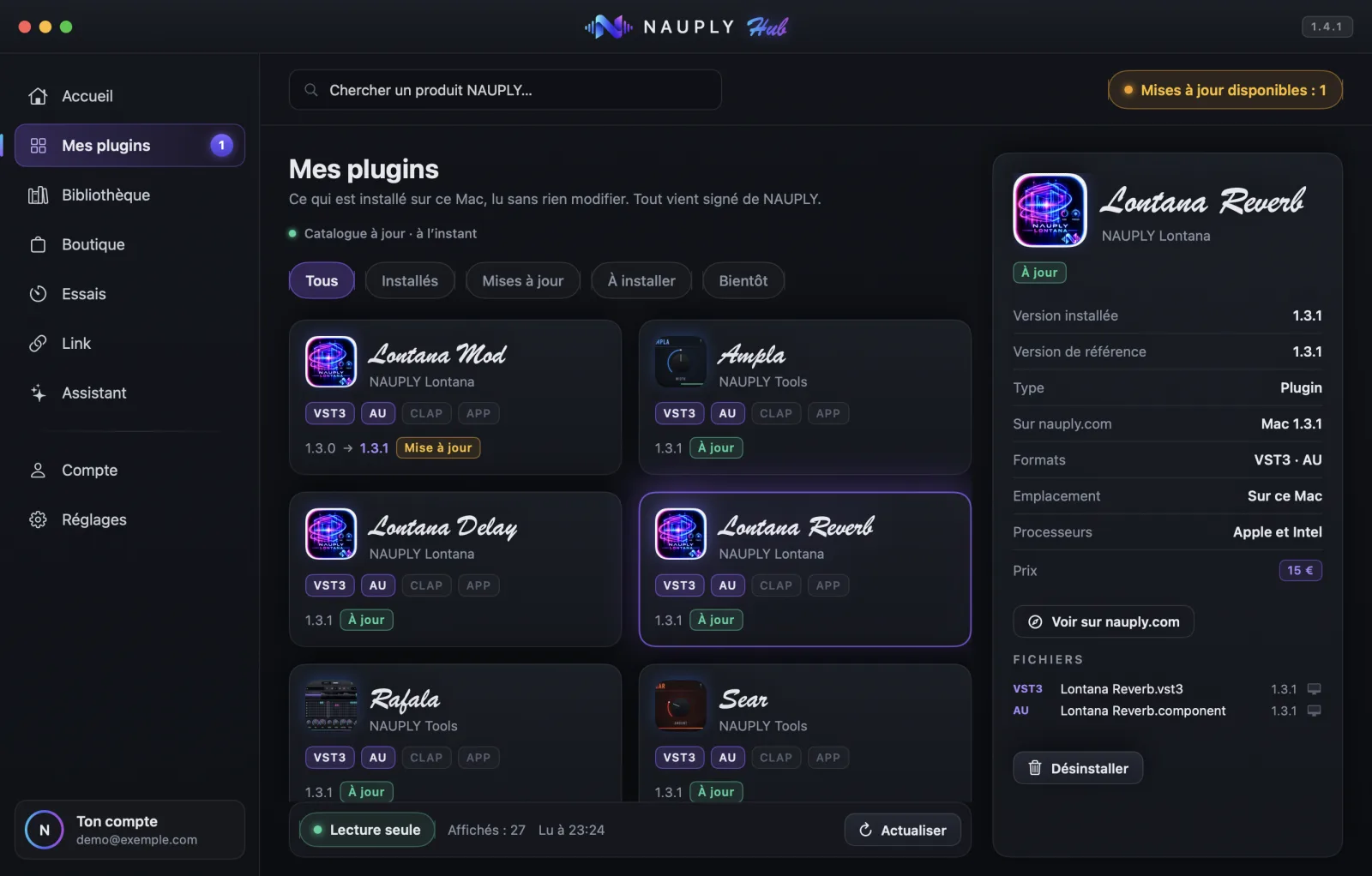
The Hub reads the NAUPLY plugins installed on your computer (VST3, AU, CLAP and apps on Mac; VST3, CLAP and apps on Windows), compares their versions with those published on nauply.com and flags duplicates or formats that are not on the same version.
One-click updates

Signed in to your account, the Hub downloads the installer of the new version, checks it is intact (SHA-256 fingerprint) and lets you open it. Nothing is installed without your click.

Licenses and computers

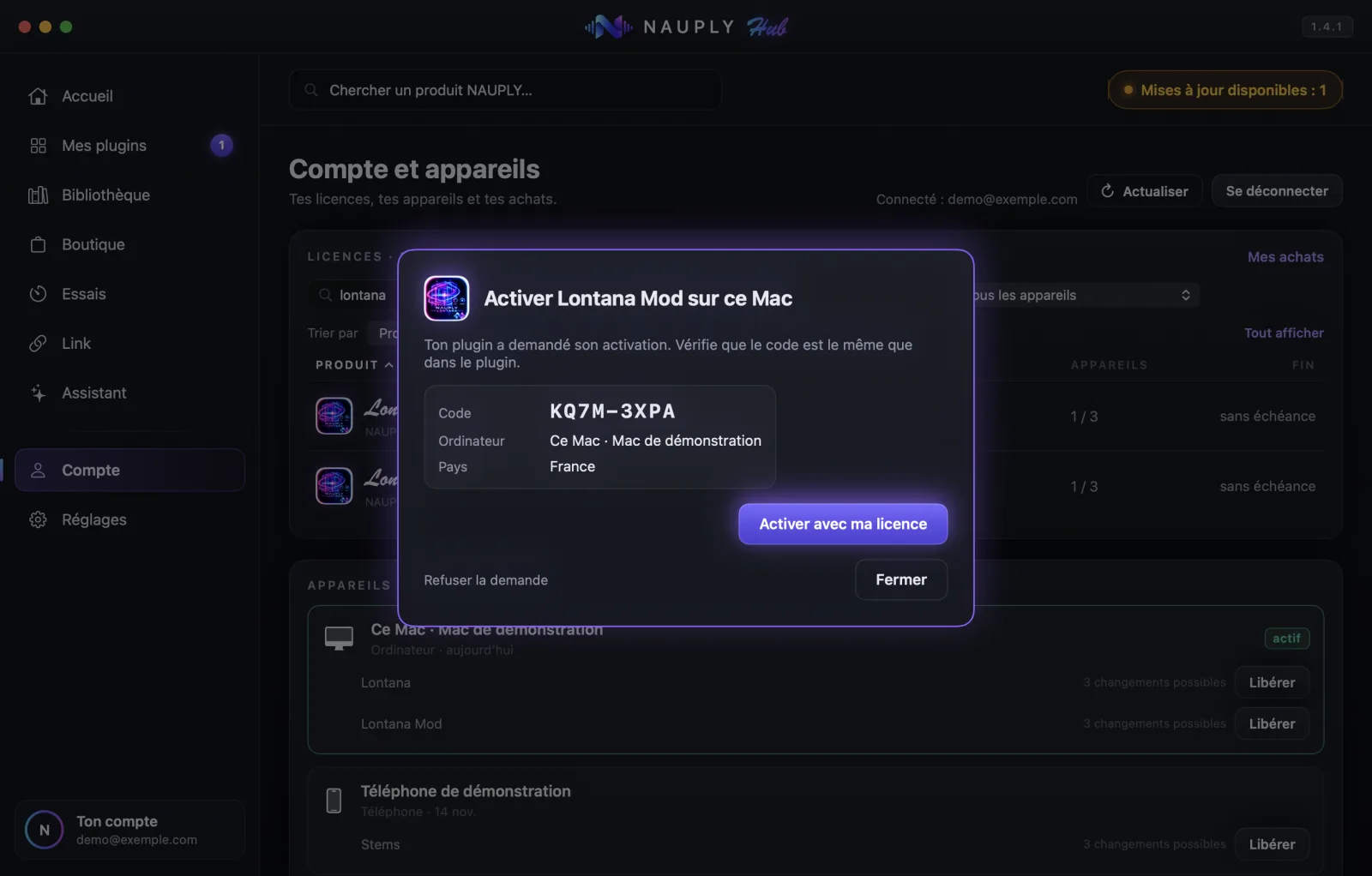
All your licenses, their end date if any, and the computers they are activated on. Free up a seat for another computer without going to the website.

Trials

Your current trials and the days left, read from your account and from this Mac. On Windows: coming soon.

Light or dark

The Hub shows in light mode, dark mode or follows your system, as you choose in its Settings.

LinkComing soon

See the sounds and MIDI your NAUPLY plugins sent each other, read-only. Arrives with compatible plugins.

Preview (Mac version)

NAUPLY Hub screenshot: My plugins: installed and published versions

My plugins: installed and published versions

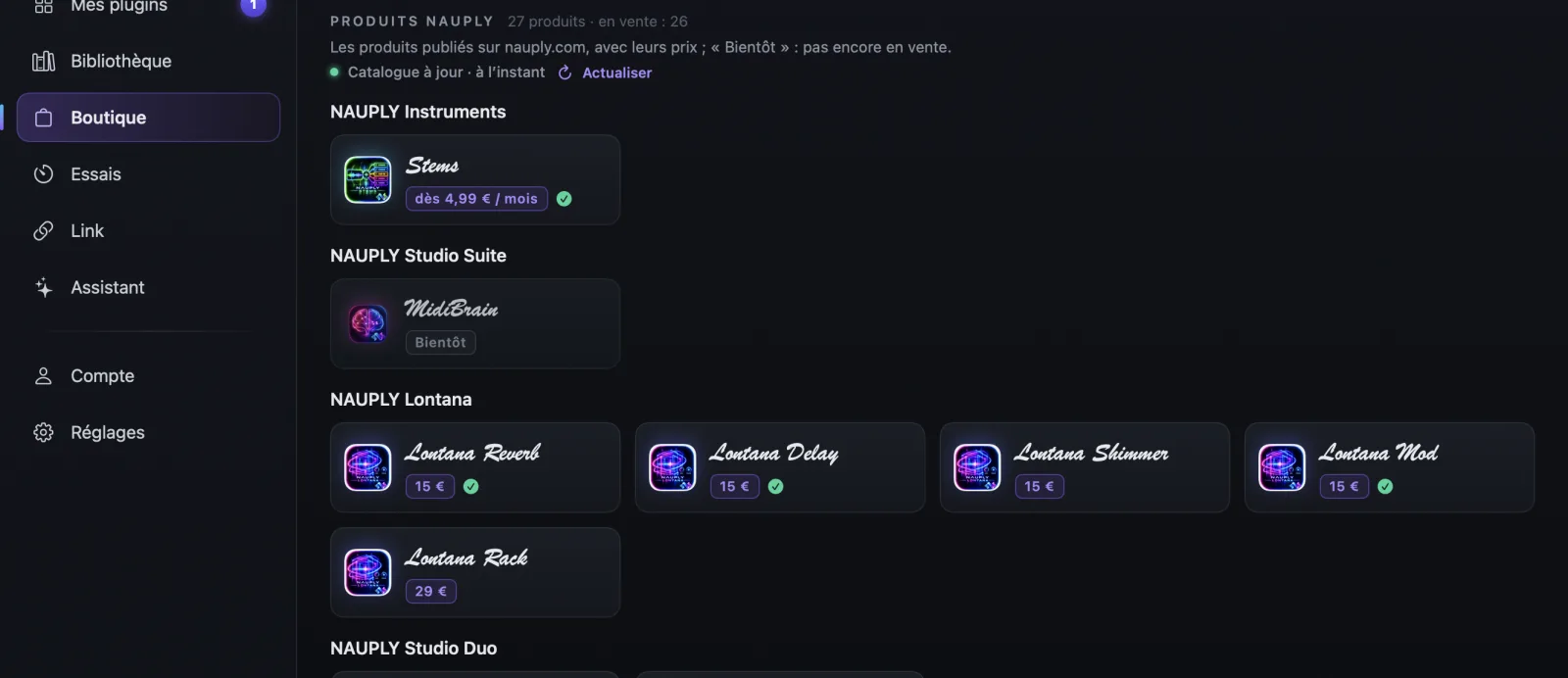
NAUPLY Hub screenshot: Store: the website’s products and prices

Store: the website’s products and prices

NAUPLY Hub screenshot: Account: licenses, computers and end dates

Account: licenses, computers and end dates

NAUPLY Hub screenshot: Home in light mode

Home in light mode

Requirements

  • Mac: macOS 12 Monterey or later, Apple Silicon and Intel (universal app)
  • PC: Windows 10 or 11, 64-bit (x64)
  • Internet connection for versions, the store and your account
  • NAUPLY account optional (needed for licenses, trials and downloads)

What the Hub sends

The Hub only talks to nauply.com. Your session stays in your Mac’s Keychain (on Windows, encrypted for your Windows account only). At launch it only sends its version (and whether an account is signed in, without saying which one) so we know which versions are in use. Error reports, with no personal data, can be turned off in its Settings.

And on your phone?

NAUPLY Studio, the mobile studio: beats, vocals, mixing, lyrics, and optional separation. Android today, iOS soon.

Discover NAUPLY Studio →

Frequently asked questions

Is NAUPLY Hub required?

No. It is free and optional: your NAUPLY plugins install and work without it. It simply saves you time with updates, licenses and trials.

Do I need a NAUPLY account?

Not to see your installed plugins and the store. Your account is used to show your licenses and trials and to download installers. Same credentials as on nauply.com, two-factor authentication included.

Does the Hub install things on its own?

No. It downloads the installer from your account, checks its fingerprint, then you open it. On Mac, NAUPLY installers are signed and notarized by Apple.

Are the Hub’s products always up to date?

Yes. The Hub reads the nauply.com catalog at launch, every 15 minutes and when you click “Refresh”. A product removed from the website disappears from the Hub; a new product shows up without a new Hub version. Offline, it keeps the last catalog it read and says so.

Is there a Windows version?

Yes: NAUPLY Hub 1.4.1 for Windows 10 and 11 (64-bit), free as well. It shows Home, your plugins, the Store, your downloads, your licenses and your computers; trials and Link come next. Its installer is not signed yet: Windows may show a SmartScreen warning, explained under the download button.

How do I uninstall it?

On Mac, drag NAUPLY Hub from the Applications folder to the Trash. On Windows, open Settings › Apps, choose NAUPLY Hub, then Uninstall. Your plugins and licenses are not affected.

Get started with NAUPLY Hub

Install it now, sign in to your account and find your whole NAUPLY studio in one place.

Download NAUPLY Hub for Mac

Version 1.4.2 · 4.8 MB · macOS 12 or later · Apple Silicon and Intel

Download NAUPLY Hub for Windows

Version 1.4.2 · 4.2 MB · Windows 10 or later, 64-bit

Windows may show “Windows protected your PC”: click “More info”, then “Run anyway”. The installer really does come from NAUPLY; its Windows signature is coming soon.